
Ops Playbook
Emergency Imaging Equipment Repair: What to Do First
May 7, 2026 · 6 min · Medical Imaging Specialists
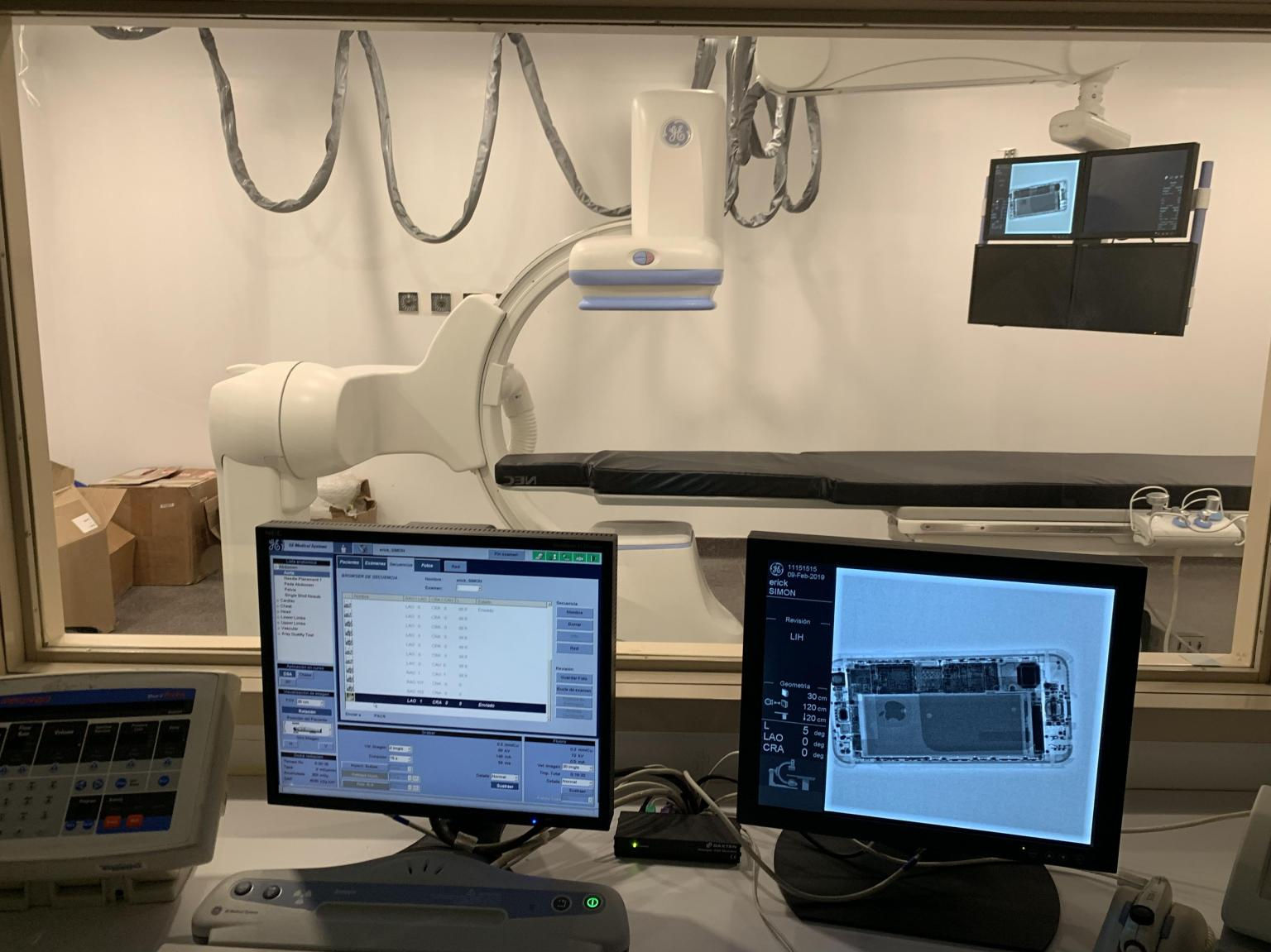
Practical considerations, risk points, and what to ask before you buy, service, move, or maintain imaging equipment.
When imaging equipment goes down, stop unsafe use, document the exact symptoms and error messages, capture the modality, manufacturer, model, serial number, location, recent changes, and photos if relevant, then contact a qualified imaging equipment service provider. Do not guess at high-voltage, radiation, cryogen, magnet, or calibration issues. The fastest repair path is a clean intake that helps a technician decide whether the issue needs remote guidance, parts, field service, or escalation.
That first 15 minutes matters. A good shutdown and intake can save hours of back-and-forth, prevent the wrong part from being ordered, and keep a nuisance fault from becoming a bigger problem.
Why downtime response matters in imaging centers
A down CT, MRI, PET/CT, X-ray room, C-arm, or DEXA system disrupts patient schedules, blocks referrals, stresses staff, and can push cases to another facility. If the scanner is a core revenue line, the business impact starts immediately.
The natural reaction is to reboot and try to keep the schedule moving. Sometimes that is reasonable under the facility’s normal operating procedure. But repeated faults, safety warnings, environmental alarms, tube/generator errors, table motion problems, image artifacts, or unusual sounds should be treated carefully.
Emergency repair works best when the facility separates two questions: can the system be used safely right now, and what does service need to diagnose the failure quickly? If safety is uncertain, stop using the equipment and escalate. Speed matters, but uncontrolled troubleshooting is how a repair gets more expensive.
For broader uptime planning, see our guide on maximizing uptime for refurbished imaging equipment and our CT and MRI preventive maintenance checklist.
First steps when the machine goes down
Start with a simple triage routine your technologists, site manager, and biomed team can follow under pressure.
First, note exactly what happened. Was the system scanning, booting, reconstructing, moving the table, sending to PACS, cooling, or sitting idle? Did the fault appear after a power event, network change, room temperature issue, software update, coil change, detector swap, or recent service visit?
Next, preserve evidence before it disappears. Take clear photos of the error screen, fault code, console message, status page, indicator lights, or affected image artifact. If logs are easy to export safely, preserve them. If not, do not dig into service menus blindly.
Then document the basics:
- Modality: CT, MRI, PET/CT, X-ray, C-arm, DEXA, ultrasound, or cath lab
- Manufacturer, model, and serial number
- Site name, room location, and best onsite contact
- Exact error code or message
- What the operator was doing when it failed
- Whether the fault repeats after the site’s approved restart process
- Any recent power, HVAC, network, software, or service changes
- Current patient schedule impact and urgency
This is not paperwork for paperwork’s sake. It tells the service team whether the next move is phone triage, remote review, parts research, or dispatching a field engineer.
What to send MIS for faster service triage
A clean intake can turn a vague emergency into an actionable service plan. “Our MRI is down” starts a long question chain. “GE Optima MR450w, chiller alarm after overnight HVAC issue, screenshots attached, 18 patients scheduled today” gives the technician something to work with.
Before contacting MIS for service support, gather this if available:
- System make, model, serial number, and software level if known
- Error code, screenshots, photos, or a short video of the symptom
- System status: fully down, intermittent, degraded, artifacting, or unable to send images
- Service history, recent repairs, and any parts replaced recently
- Environment notes: room temperature, chiller status, water leaks, power event, construction, or network changes
- Site access details, loading/security requirements, and hours of operation
- Urgency: outpatient schedule, inpatient coverage, emergency department dependency, or planned maintenance window
If parts may be involved, include photos of labels, board numbers, tube information, coil model, detector details, or cable markings only when staff can access them safely. MIS maintains imaging equipment parts support through the parts team, but the right part depends on accurate identification. Blind board swapping wastes money and delays the real fix.
For parts-specific guidance, read How Do I Know Which Medical Imaging Equipment Parts I Need?.
Common emergency categories by modality
Every modality fails differently, and the same symptom can have more than one cause. Treat the categories below as triage language, not a diagnosis.
CT systems often involve tube, generator, gantry, table, detector, cooling, computer, or reconstruction issues. A tube-related error does not automatically mean the tube is failed; service history, scan load, cooling behavior, generator status, and the exact fault all matter. If tube life is part of the question, our guide on CT tube replacement cost and planning explains the bigger decision.
MRI systems can involve chiller performance, magnet environment, coils, RF chain, gradients, patient table, host computer, image artifacts, or site conditions. MRI adds special risk because the magnet is always a safety factor. Do not move MRI-related components or bring tools into controlled zones without qualified help.
X-ray, C-arm, and fluoroscopy systems commonly involve generator faults, tube issues, detector problems, table or stand motion, hand switch problems, exposure control, image processing, or DICOM workflow. They still involve radiation-producing equipment and high-voltage components.
PET/CT systems need clear separation between the CT-side problem, PET detector/reconstruction issue, workstation problem, or facility/radiopharmacy workflow issue.
What not to do during an emergency repair
The biggest mistakes usually come from trying to save time.
Do not bypass safety interlocks, covers, door switches, emergency stops, radiation controls, MRI access controls, or environmental alarms. Do not keep scanning patients if the system is producing questionable image quality, repeated errors, unusual noise, overheating signs, or motion problems. Do not order expensive parts based only on a remembered fault code unless a qualified technician has confirmed the failure path.
Also avoid cleaning up the evidence too quickly. If a technologist clears the message, reboots multiple times, changes settings, and swaps accessories before documenting anything, the technician may lose the best clues. A controlled restart under your normal procedure is one thing. Random troubleshooting is another.
Turning emergency repair into a better uptime plan
After the immediate repair, review why the downtime happened and whether it was preventable. Some failures are normal lifecycle events. Others point to missed preventive maintenance, weak environmental controls, aging parts, poor documentation, or a service model that reacts too slowly.
Ask whether the site gave service the right information quickly, whether error codes and service history were easy to find, whether there was a clear escalation path, and whether the failure tied back to PM, cooling, power, network, or room conditions.
If downtime is repeating, it may be time to move from break/fix support to a structured PM or service agreement. MIS supports refurbished and installed imaging systems with equipment sourcing, parts, field service, and service planning. For buyers comparing coverage models, start with medical imaging service contracts, then contact MIS through the service page or contact page.
FAQ
Can MIS troubleshoot imaging equipment by phone?
Often, yes. Phone triage can help confirm the symptom, identify missing information, determine whether parts may be involved, and decide whether field service is needed. Some issues still require onsite diagnosis by a qualified engineer.
What information should I have before calling for emergency imaging equipment repair?
Have the modality, manufacturer, model, serial number, location, error code, screenshots or photos, recent changes, service history, and patient-schedule urgency. The more precise the intake, the faster the repair path.
Do I need OEM service for CT, MRI, PET/CT, or X-ray equipment?
It depends on the system, contract status, parts availability, software access, and facility requirements. Many facilities use qualified independent service organizations for support, especially on refurbished or out-of-OEM-contract systems. The key is competence, parts access, and safe process.
Can a replacement part be shipped before a technician comes onsite?
Sometimes, but it should be based on strong evidence. Shipping a likely part can save time when the fault is clear and the part is identifiable. Guessing can delay the repair and tie up capital in the wrong component.
Should we keep using the system if the error clears after rebooting?
Not automatically. If the error was minor and your facility’s procedure allows continued operation, document it and monitor. If the warning involved safety, motion, radiation, cooling, image quality, MRI environment, or repeated faults, escalate before continuing.
How can we reduce future imaging equipment downtime?
Use preventive maintenance, document service history, control room environment, keep model and serial information accessible, and choose service support with parts access.
Schema recommendation
Use Article or BlogPosting schema for the post, FAQPage for the FAQ section, and Service schema on related service pages.
Machine down? Send MIS the modality, make/model, serial number, error code, photos or screenshots, location, and urgency through the contact page or request help from the service team so the repair path starts with the right information.
Need help with this exact problem?
Send the modality, site location, timeline, and any system details. MIS will route the request by intent.
Related resources
Ops Playbook
What Site Requirements Are Needed for a CT Scanner?
CT scanner site requirements include room fit, power, cooling, shielding review, access, IT, service clearance, and project planning.
Ops Playbook
How Long Does CT Scanner Installation Take? Planning Guide
CT scanner installation timing depends on site readiness, rigging, power, cooling, shielding review, IT, service support, and project scope.
Ops Playbook
How Quickly Can a CT Scanner Be Repaired After Downtime?
CT repair speed depends on diagnosis, parts, access, service history, and site readiness. Learn what helps a scanner get back online faster.