
Ops Playbook
X-Ray Equipment Lifespan, Maintenance, and Cost Factors
May 18, 2026 · 6 min · Medical Imaging Specialists
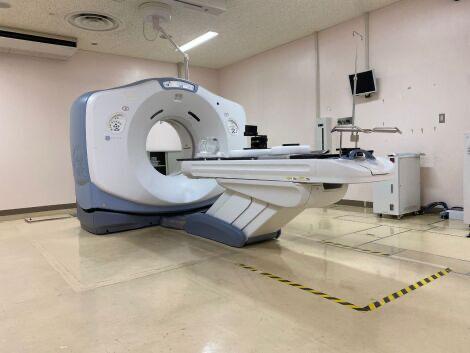
Practical considerations, risk points, and what to ask before you buy, service, move, or maintain imaging equipment.
Considering a lease instead?
Equipment, service, PMs, parts, and applications support can be bundled into one monthly payment.
If this article is about financing, ROI, service contracts, or total cost of ownership, the leasing model may simplify the decision.
X-ray equipment lifespan is not one fixed number. It depends on the system type, utilization, detector and tube condition, generator reliability, table and wall-stand mechanics, workstation age, software support, preventive-maintenance history, room conditions, and parts availability. Maintenance costs usually rise when the same failures repeat, image quality drops, parts become harder to source, or downtime starts interrupting patient flow. Before replacing the room, MIS can review the make, model, service history, symptoms, photos, room constraints, location, and timeline to compare service, parts, PM, used/refurbished equipment, or replacement options.
Why X-ray lifespan is not one fixed number
A low-volume outpatient X-ray room and a busy hospital radiology room do not age the same way. The calendar matters, but workload matters more. So do environment, maintenance discipline, the quality of the original installation, and whether the system is still serviceable with available parts.
The first mistake is asking, “How old is it?” as if age alone decides the answer. A better question is: “Can this system still produce reliable images, stay connected to workflow, and be supported without excessive downtime?”
That answer depends on several pieces working together. The tube and generator handle exposure. The detector or DR panel captures the image. The table, wall stand, bucky, cables, and mechanical assemblies keep positioning repeatable. The workstation, software, DICOM configuration, and network connection keep studies moving to PACS and the radiologist.
One weak link can make the whole room feel obsolete. A good service review separates an isolated repair from a pattern that points toward replacement.
If you are still comparing purchase options, MIS has a separate guide on new, used, and refurbished X-ray equipment for sale. This post is for the operational decision: maintain, repair, upgrade, or replace.
Signs an X-ray system needs service review
Most X-ray rooms give warning signs before they become a true emergency. The symptoms are often intermittent at first, which is exactly why they get ignored.
Common red flags include:
- Image-quality changes, repeat exposures, artifacts, or inconsistent density
- Detector errors, panel dropouts, calibration issues, or visible damage
- Intermittent generator faults or exposure interruptions
- Tube performance concerns, heat-related behavior, or unusual noises
- Table, wall stand, or bucky movement problems
- Cables, foot switches, hand switches, or controls that fail intermittently
- Workstation freezes, login issues, old software, or storage limitations
- DICOM send failures, worklist problems, or network changes that break workflow
- Longer downtime events or repeat calls for the same issue
None of those automatically means the system is finished. Some problems are straightforward repairs. Others point to a bigger lifecycle issue, especially when the same room keeps failing under normal use.
The practical line is uptime. If the X-ray room supports urgent care, orthopedics, hospital throughput, or a high-volume clinic, even small failures become expensive fast. A system that is “cheap to keep” on paper may not be cheap if it disrupts the schedule every month.
Components that drive lifespan and replacement cost
The largest cost decisions usually come from the high-impact components, not from the age sticker on the system.
X-ray tube: Tubes are wear components. Heat load, volume, technique, and system use all affect tube life. A weak or failing tube can turn into repeat image problems, exposure failures, or downtime.
Detector or DR panel: The detector is one of the most important pieces in a digital X-ray room. Damage, artifacts, calibration problems, or compatibility limitations can change the economics quickly.
Generator: The generator affects exposure consistency and reliability. Generator failures may be repairable, but older platforms can become difficult when boards and parts are scarce.
Table, wall stand, bucky, and mechanics: Mechanical issues are easy to underestimate. If positioning is unreliable, patient flow slows down and repeat imaging risk increases.
Workstation and software: A room can have good hardware and still struggle because the workstation is aging, software support is limited, or connectivity no longer fits the facility workflow.
Cables, switches, controls, and accessories: Small parts can create big downtime. Tracking recurring service notes helps identify whether the system has an isolated failure or a pattern.
For parts-related decisions, start with MIS medical imaging equipment parts and the guide on whether facilities should replace imaging equipment parts themselves. Radiation-producing equipment and safety-critical repairs should be handled by qualified service personnel, not treated like general electronics work.
What maintenance should facilities track?
Preventive maintenance is not just a checkbox. It gives the facility a trend line.
At minimum, keep a simple record of:
- PM dates and service reports
- Recurring error messages or fault codes
- Tube, detector, generator, and workstation history
- Any repeat image-quality complaints
- Downtime frequency and duration
- Parts replaced and parts quoted but deferred
- Room temperature, humidity, power, and environmental issues
- Network, PACS, RIS, or DICOM changes near the time problems started
That record helps service teams make a sharper call. Without it, every visit starts from zero, and the facility ends up paying for rediscovery.
For broader planning, read MIS’s guide on how often medical imaging equipment should be serviced and review service support options. The right PM rhythm depends on modality, utilization, manufacturer guidance, facility policy, and risk tolerance.
Repair vs. replacement: the practical decision matrix
Repair often makes sense when the issue is isolated, parts are available, the system still produces acceptable images, and downtime is manageable. If a detector cable, workstation component, table issue, or known board failure can be corrected cleanly, replacement may be premature.
Replacement deserves a serious look when failures repeat, image quality declines, parts become difficult to source, software or workstation support is aging out, or downtime starts affecting revenue and patient access. The decision is not emotional. It is operational.
Use this quick filter:
- Repair if the failure is isolated, serviceable, and the room still fits the clinical need.
- PM and monitor if the system is stable but aging, with no serious workflow risk yet.
- Upgrade if the weak point is digital capture, workflow, workstation, or integration rather than the entire room.
- Replace if reliability, parts availability, image quality, or workflow has become a recurring operational problem.
Used or refurbished replacement can be the right middle ground when new equipment is not justified but the existing room is no longer dependable. The key is matching the system to the room, use case, service plan, and timeline — not just buying the cheapest available X-ray unit.
What to send MIS before asking for a recommendation
The best quote starts with useful details. Send MIS the make, model, serial number, approximate system age, photos of the room and equipment labels, current symptoms, error messages, service history, location, desired timeline, and whether the goal is repair, preventive maintenance, parts, replacement, or budget planning.
Remove or crop any patient information from screenshots or photos before sending them.
If replacement may be on the table, include room layout, ceiling height, access path, electrical notes if available, and whether the existing detector, workstation, table, or wall stand must stay. For equipment planning, start with X-ray equipment, request a scoped quote, or use contact if the issue is not clearly sales, service, or parts.
FAQ
How long does X-ray equipment last?
It depends on utilization, system type, PM history, environment, parts availability, detector condition, tube and generator health, and whether the workstation and software still support the facility workflow. Age matters, but reliability and serviceability matter more.
How often should X-ray equipment receive preventive maintenance?
Most facilities should follow manufacturer guidance, facility policy, accreditation or internal quality requirements, and the risk profile of the room. High-volume or mission-critical rooms may need closer tracking than low-volume rooms.
Is it better to repair or replace an older X-ray system?
Repair is usually worth reviewing first when the issue is isolated and parts are available. Replacement becomes more attractive when failures repeat, parts are scarce, image quality suffers, or downtime affects patient flow and revenue.
What X-ray parts are most important to inspect?
Tube, detector, generator, table, wall stand, bucky, cables, controls, workstation, software, and network/DICOM connectivity all matter. The most important part is the one creating downtime or limiting workflow.
Can MIS help with X-ray equipment, parts, and service?
Yes. MIS supports X-ray equipment sourcing, refurbished replacement planning, parts requests, preventive maintenance, field service, installation planning, and broader medical imaging equipment support.
Schema recommendation
Use Article or BlogPosting schema for the post and FAQPage schema for the FAQ section. Link to true Service schema on service pages if supported by the site. Use Product or ItemList only on real X-ray inventory or category pages; do not add fake prices, fake reviews, or fake availability.
Need help with this exact problem?
Send the modality, site location, timeline, and any system details. MIS will route the request by intent.
Related resources
Ops Playbook
What Site Requirements Are Needed for a CT Scanner?
CT scanner site requirements include room fit, power, cooling, shielding review, access, IT, service clearance, and project planning.
Ops Playbook
How Long Does CT Scanner Installation Take? Planning Guide
CT scanner installation timing depends on site readiness, rigging, power, cooling, shielding review, IT, service support, and project scope.
Buyer's Desk
What Is a Fair Price for Used X-Ray Equipment?
A fair used X-ray equipment price depends on scope, detector condition, site readiness, installation, service, parts, and support.